 SiteSnag
Who it’s for
For snagging inspectors
Updated 19 October 2026
A snagging inspection, start to finish
A typical job is a three or four-bedroom new build a few weeks before or after completion. You arrive with the plot number and the buyer’s name, work through the house room by room and come away with a long list of snags. The buyer wants the report quickly because the developer’s customer care team is waiting for it, and in a few weeks you may go back to check what’s been put right. The sections below follow that day and show where SiteSnag fits in.
Booking the job
Surveys go into the diary in SiteSnag, and each booking is the survey itself, so on the day you open it and start snagging with the address and client already filled in. Every survey has a report due date (seven days by default, which you can change) and anything late shows as overdue. You can sync bookings one way to your phone’s calendar, and on iPhone and iPad a Home Screen widget lists today’s jobs and overdue reports.
On site: photo, save, next
The snagging camera is where most of the time goes. You take a photo, tap Create and the snag is saved, then the camera resets for the next defect. Room and title are optional at that point, so you can keep moving through the house and tidy up later. Extra shots of the same defect go on the same snag, with no limit on how many, and you can add up to 20 at once from the photo library and move them into order.
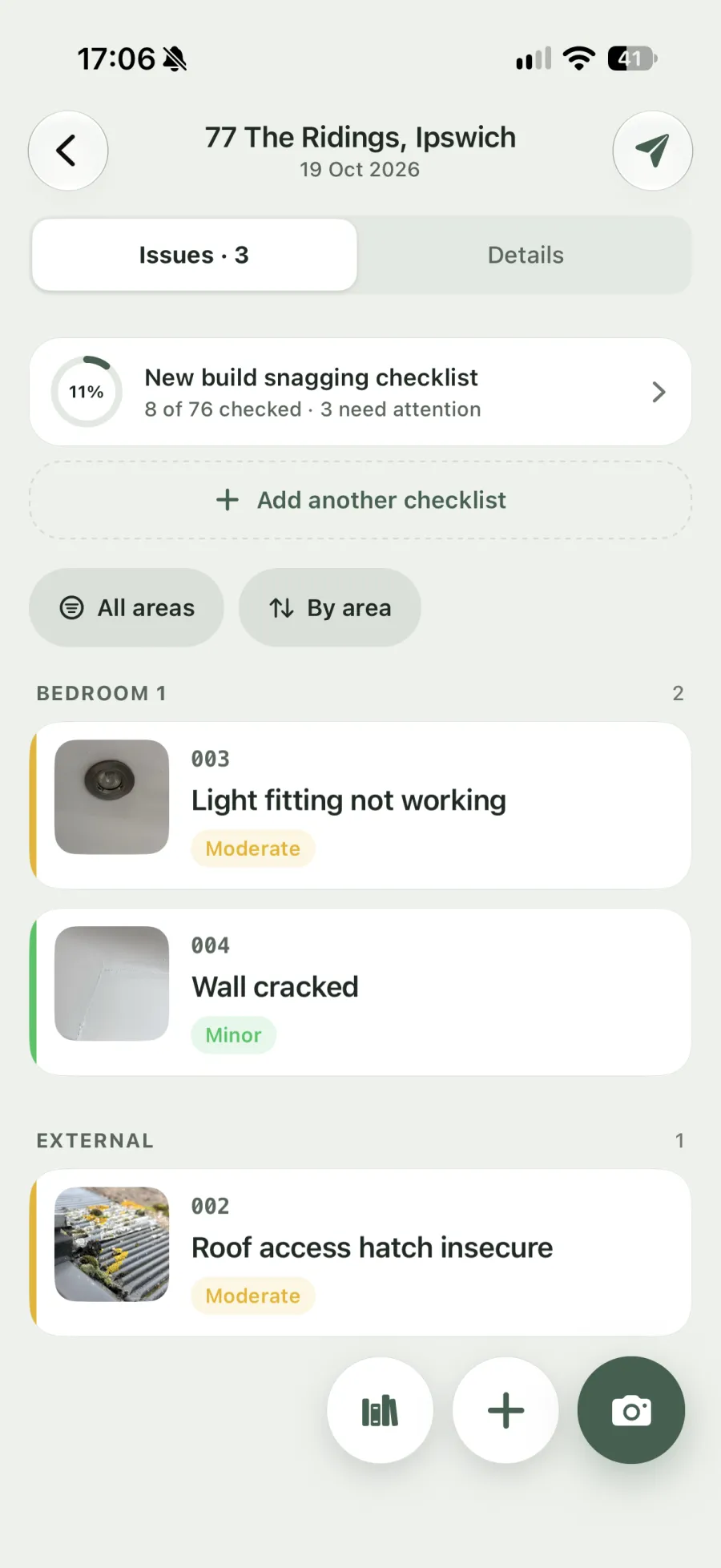
If you’d rather name the defect as you go, start typing a title in the camera and SiteSnag suggests matches from the library. Choosing one fills in the description, severity, trade and standard. Typing on a phone in a cold plot isn’t much fun, so every text field also takes live dictation.
Wording from a UK defect library
The library has 460+ built-in UK defects. Each one has a written description, and most carry a reference to the relevant NHBC chapter, Approved Document or BS 7671, so the developer gets something specific to act on. You can edit the built-in wording or add your own entries, and they’re there on every survey after that. The full list is on the common new build defects page.
Photos can be marked up with arrows, circles, boxes, measurements and numbered markers. Mark-ups stay editable after you save, so a misplaced arrow is easy to move.
Floor plans and the checklist
You can draw a plan by tapping the corners of each room or import an image of the developer’s drawing (images only, not PDFs). Snags get a numbered pin on the plan, and the plan with its pins goes into the PDF, so the buyer and the site manager can see where each defect is.
The built-in new build snagging checklist walks you through each area so nothing gets missed on a long day, and a failed item can be raised as a snag straight from the checklist. There’s also a pre-completion handover checklist, and you can build checklists of your own.
The report, sent from site
Before you build the PDF, SiteSnag checks that the address, findings and signatures are in place. The report carries your logo, accent colour and choice of four styles and three fonts. Its cover page shows you and your client as separate names, and it includes a summary, page numbers, a footer, signatures and QR codes. You choose whether each snag shows one, two, four, six, nine or all of its photos, and the report can group snags by area, severity, trade or status.
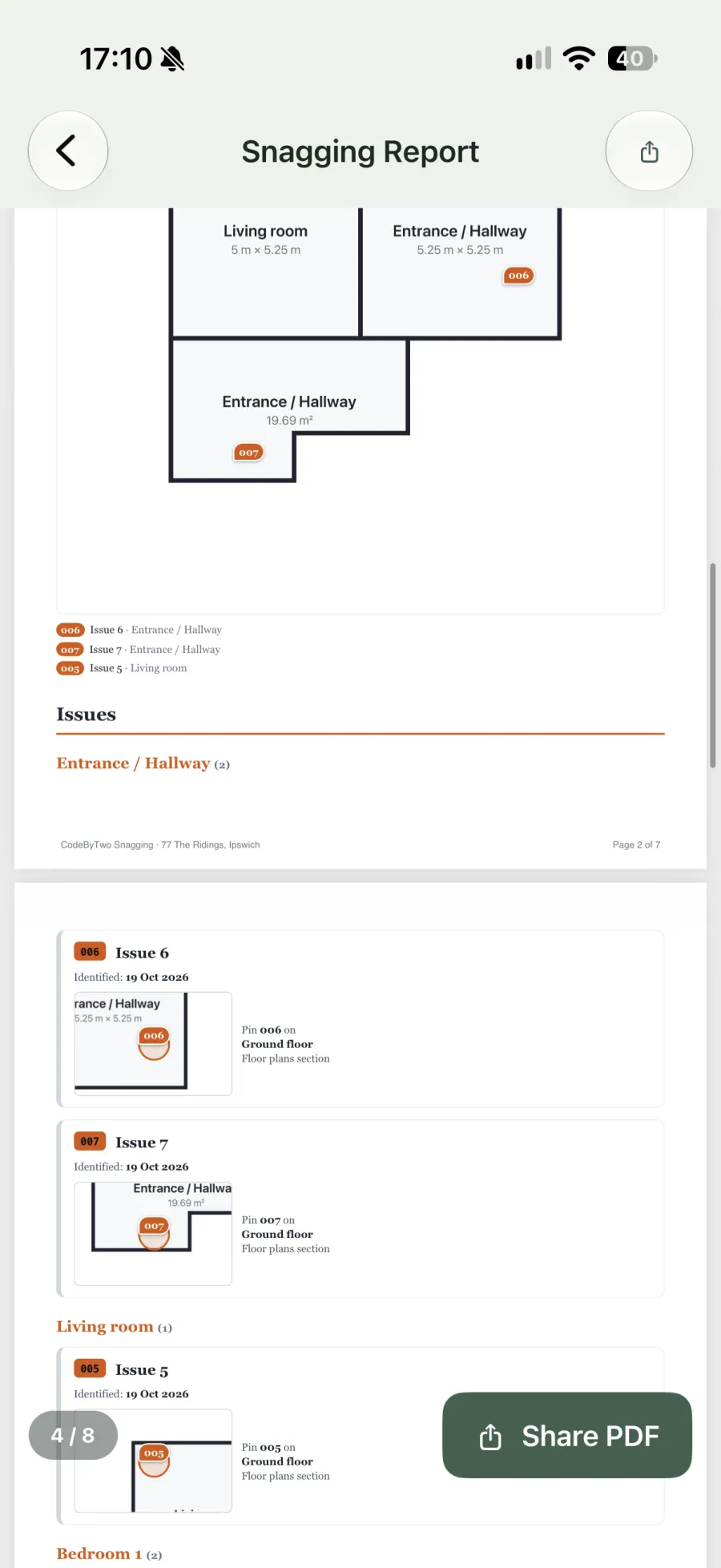
You send it through the phone’s share sheet by Mail, Outlook, WhatsApp or anything else installed, and past PDFs stay with the survey. The snagging report example goes through what a finished report contains, page by page.
Going back for the re-inspection
When the developer says the work is done, you add a re-inspection visit to the same survey. Each snag is marked Fixed, Partly fixed or Not fixed, and anything new you spot can be added on that visit. The history from each visit can go into the report, so the buyer sees what was raised first time and what’s still outstanding. A handover visit works the same way.
Pricing for a sole trader
Your first survey is free, including the camera, library, floor plans, checklists and the PDF, which carries a small “Made with SiteSnag” line. Pro is £4.99 a month, £49.99 a year or £149.99 once. It gives you unlimited surveys, reports with only your branding, automatic backup and on-device AI wording on supported phones. There’s no account to create, and everything works offline. Full details are in the pricing section.
If you’re weighing up other apps, the comparison of UK snagging apps sets out where each one is strong.
Questions from inspectors
Is SiteSnag a snagging app for professional inspectors or for homebuyers?
It's built for people who snag houses for a living. A homebuyer can use the free survey on their own new build, but the defect library and branded reports are aimed at inspectors who send a report to a paying client.
Can I finish the report on a laptop?
No. SiteSnag works on iPhone, iPad and Android and produces a PDF, with no desktop editor and no Word export. If you want a bigger screen for the write-up, the iPad version has every feature.
Does it work for a team of inspectors?
Each inspector uses SiteSnag on their own device and there are no shared team accounts. Every inspector can set up the same logo, colours and wording, so reports from different people look alike.
What happens to my surveys if I lose my phone?
Surveys are stored on the device, so on the free plan they would go with the phone. Pro backs up automatically to your own iCloud or Google Drive, and you can restore onto a new phone.