 SiteSnag
Who it’s for
For letting agents and inventory clerks
Updated 19 October 2026
Why a dated photo record matters
When a tenancy ends and the landlord wants to deduct from the deposit, the question is what the property looked like on the day the tenant moved in. An inventory with clear photos, a description of each room and the tenant’s signature answers that, while a folder of unlabelled phone pictures doesn’t. SiteSnag was built for snagging new homes, and the same tools (photos attached to each item, notes, signatures and a branded PDF) suit a check-in inventory.
The built-in rental checklist
SiteSnag includes a checklist called “Rental check-in / inventory”. It works through the entrance and hallway, living room, kitchen, bathroom, two bedrooms and the outside, then finishes with a section on safety and meters. That last section covers testing the carbon monoxide alarm, confirming the gas safety certificate and EICR are on file, taking gas and electricity meter readings and recording how many keys were handed over.
Each item can be marked and given a short note. If an item has a problem, such as a burn on the worktop or a cracked tile, you can raise it as a separate entry with its own photos and description. For larger homes or furnished lets you can build a checklist of your own. The full list is on our free rental inventory checklist page.
Photos for each item
The camera saves an entry for every photo you take, so you can work round a room quickly. Take the shot, tap Create and move to the next thing. An entry can hold as many photos as you like, which helps with a stained carpet that needs a wide shot and a close-up, and you can add up to 20 from the photo library in one go.
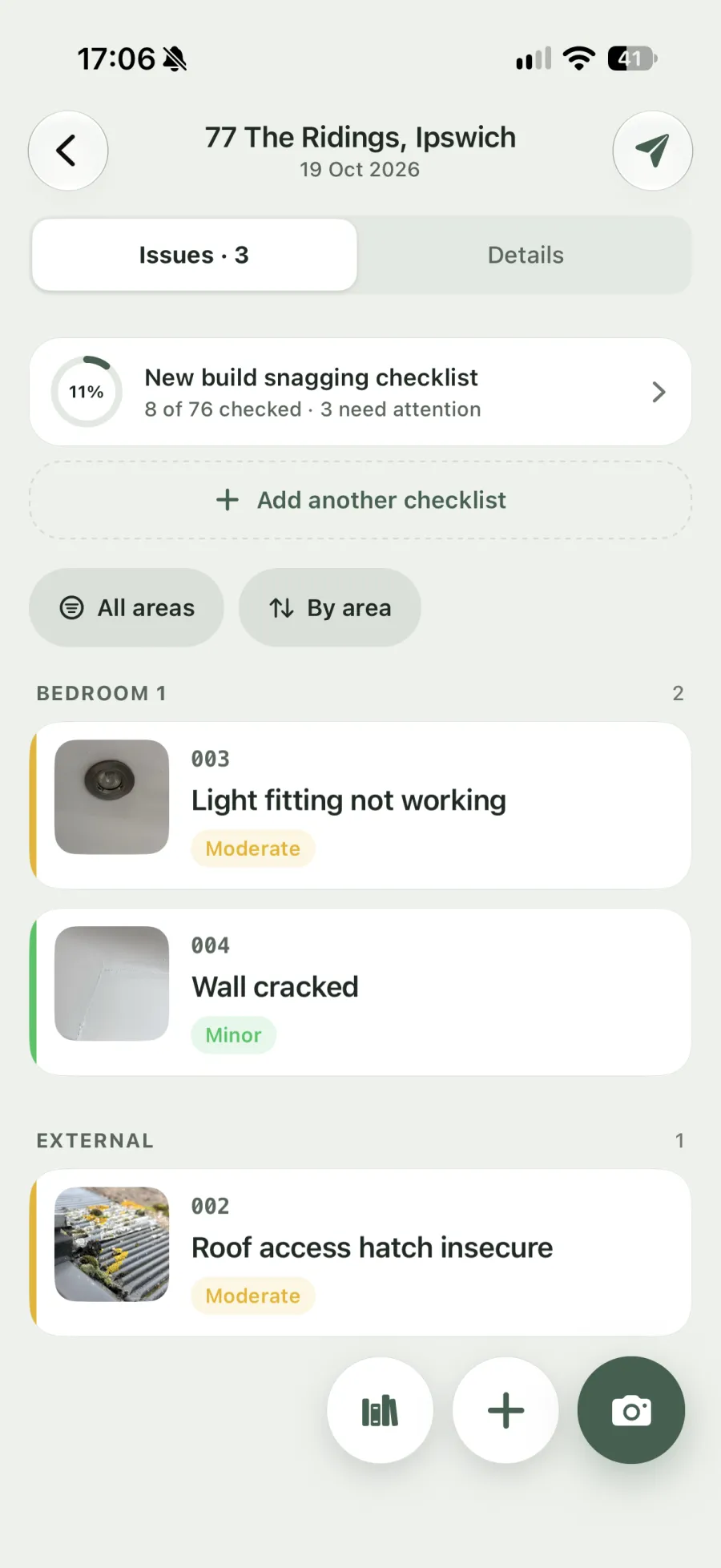
Photos can be marked up with arrows, circles and text to point out a chip or scuff that’s hard to see at a glance. You can dictate notes into any field, which is quicker than typing while you hold the phone up to a wall.
The app’s wording is set up for snagging, but 26 terms can be renamed. You might call snags “items” and surveys “inventories”, for example, and the report uses your terms.
Signatures on the day
At the end of the check-in, the tenant can sign on your screen, and you sign as the clerk or agent. Both signatures go into the PDF, so there’s a record that the tenant saw the report on the day. Everything works offline, which matters in a basement flat with no signal.
The PDF report
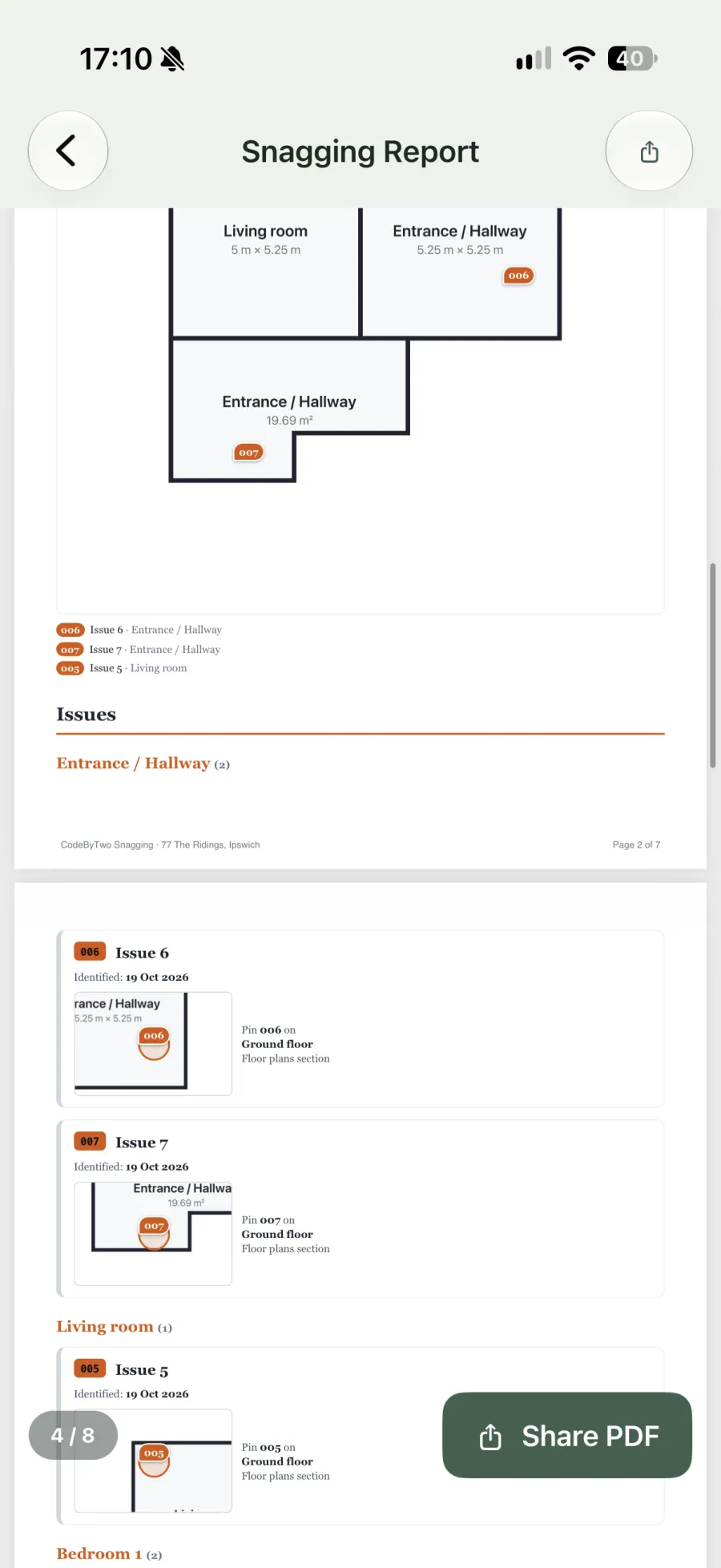
The report carries your agency logo and colours, with a cover page that shows your name and the client separately. It includes a summary, page numbers and signatures, and you choose how many photos to show for each entry. Entries can be grouped by room so the report reads in the same order as the property. The report is sent through the phone’s share sheet before you leave.
Going back for the check-out
For the check-out you duplicate the check-in survey, and the copy starts with the same property details and rooms but none of the entries. You then record the condition at the end of the tenancy with fresh photos, room by room in the same order. The check-in PDF stays with the original survey, so the two reports can be read side by side if the deposit is disputed.
Booking and price
Check-ins and check-outs can be booked in the SiteSnag diary, which shows when each report is due and which ones are overdue. The first survey is free with the full PDF, which carries a small “Made with SiteSnag” line. Pro is £4.99 a month, £49.99 a year or £149.99 once, for unlimited surveys, reports with only your branding and automatic backup to your own iCloud or Google Drive. See pricing or how SiteSnag works.
Questions from agents and clerks
Is SiteSnag a full inventory app?
It's a property inspection app with a rental check-in and inventory checklist built in. It doesn't hold tenancy records, deposits or tenant contact details, and it isn't connected to any lettings software. What you get is a photographic condition report as a PDF.
Can I add my own checklist for furnished lets or HMOs?
Yes. You can build a checklist from scratch with your own sections and items, and it stays in the app for every property after that.
Can several clerks or branch staff share the same properties?
No. SiteSnag has no team accounts and stores each survey on the device that created it. Each clerk can use the same checklist and branding on their own phone, but a survey can't be opened on someone else's.
How do I send the report to the landlord and tenant?
You send it through the phone’s share sheet by email, WhatsApp or any other app installed. There’s no built-in email composer, and past PDFs stay with the survey if you need to send one again.