 SiteSnag
Who it’s for
For residential surveyors
Updated 19 October 2026
What it is and what it isn’t
SiteSnag is an on-site capture and defect recording app. It doesn’t write RICS Level 1, 2 or 3 Home Survey reports, it has no RICS endorsement and it makes no claim to meet any RICS standard. If your practice issues those reports, SiteSnag sits before them as the place where you record what you found. For snagging inspections, defect schedules and condition reports, the PDF it produces can be the report itself.
Recording defects as you walk the property
Every photo you take in the camera becomes a defect. You take the shot, tap Create and the camera resets for the next one, with the room and title left optional until you have time to fill them in. A defect can hold as many photos as you need, so a close-up and a wider shot for context stay together, and you can pull up to 20 at once from the photo library.
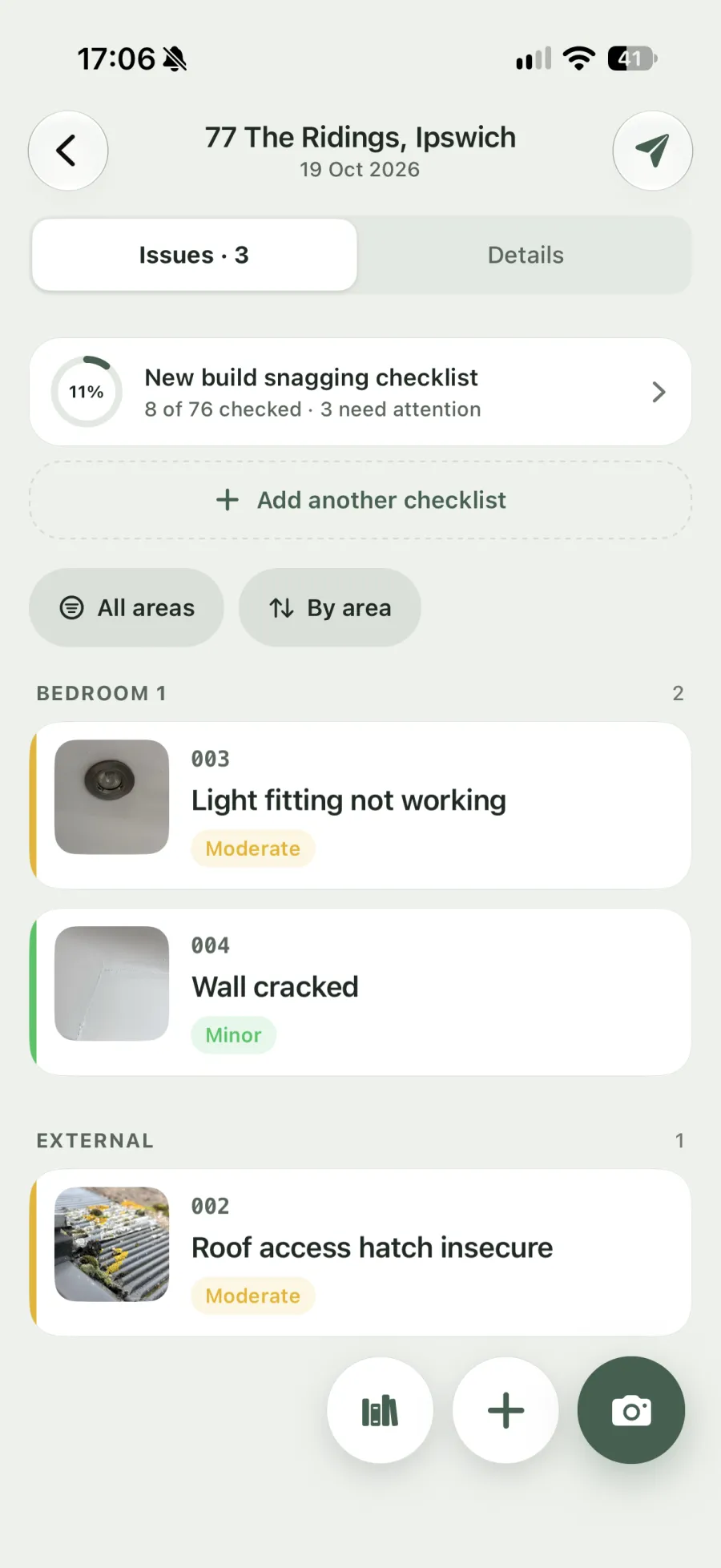
Typing a title in the camera brings up suggestions from a library of 460+ UK defects. Choosing one fills in the description, severity, trade and reference, which for most entries points to the relevant NHBC chapter, Approved Document or BS 7671. You can rewrite any entry or add the phrasing your practice already uses. Live dictation works in every field, which is quicker than typing when you’re in a loft or a damp cellar.
Photos can be marked up with arrows, boxes, freehand lines, text and measurements. Numbered markers help when one photo shows several defects, and mark-ups stay editable after saving.
Your terms and your own checklists
SiteSnag uses “snag” and “room” by default, but 26 terms can be renamed, so a surveyor can call them defects and elements or areas. The new names carry through into the PDF.
Four checklists come built in, including the new build snagging checklist, and you can build your own to match the order you inspect a property in. Each item can be marked and given a note, and a failed item can be raised as a defect straight from the checklist.
Floor plans with numbered pins
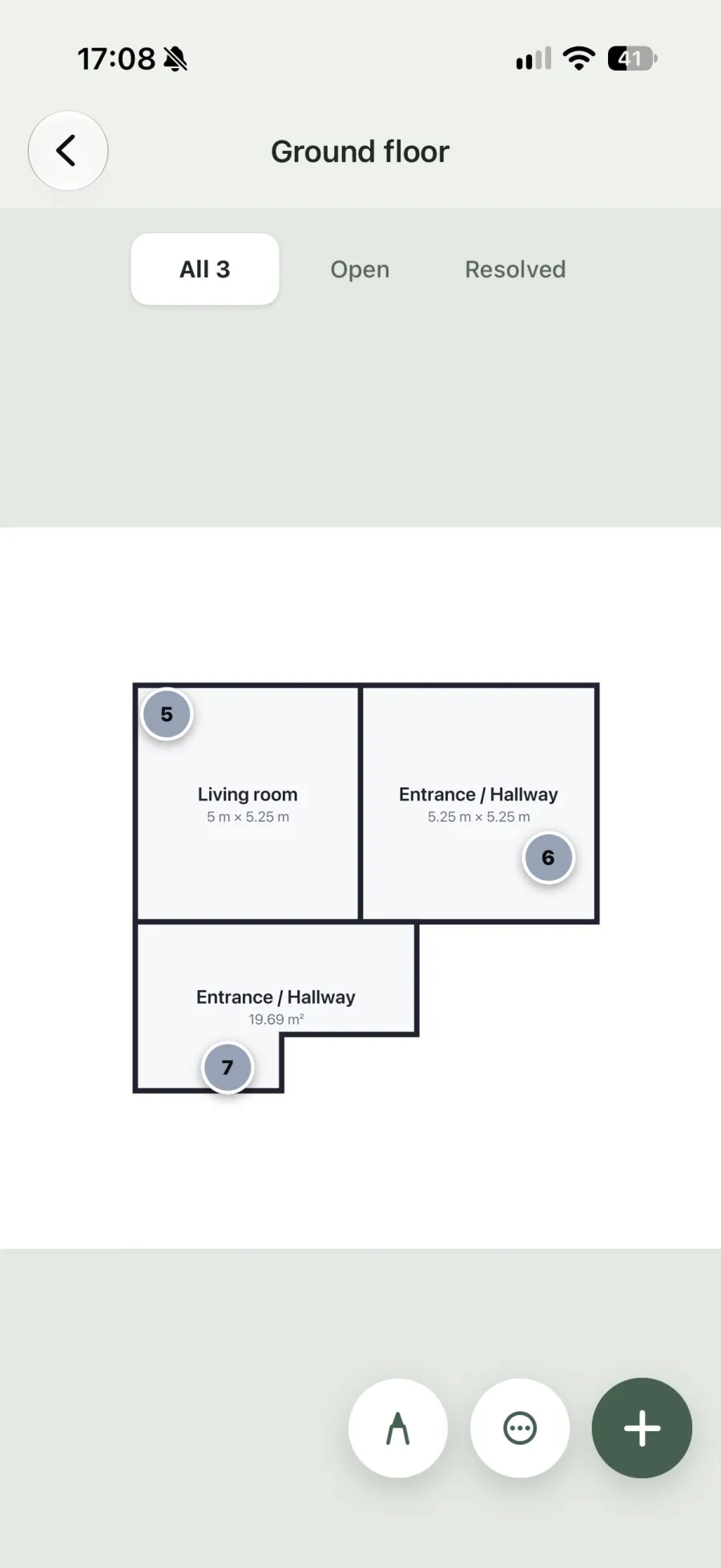
You can sketch a plan by tapping the corners of each room or import a photo or image of an existing drawing (PDF plans can’t be imported). Each defect gets a numbered pin, and the pinned plan goes into the report so the reader can find the defect without relying on a description of where it is.
The report
The PDF has a choice of four styles with your logo, accent colour and one of three fonts. A cover page names the surveyor and the client separately, and the report includes a summary, findings and conclusion, signatures, page numbers and a footer. You decide how many photos appear for each defect (one, two, four, six, nine or all), and the defects can be sorted and grouped by area, severity, trade or status. With Pro, on-device AI can draft the findings and conclusion on supported phones for you to edit.
Reports go out through the phone’s share sheet, and earlier PDFs stay with the survey. The snagging report example shows the layout section by section.
Return visits
When you go back to check remedial work, you open the original survey, add photos to each defect and log anything new. Turning on Record status in Settings lets you give each defect a status such as Fixed or Verified by hand, and the report can be generated again for an updated copy.
The diary
Inspections are booked in the SiteSnag diary, which tracks the date each report is due (seven days by default) and flags anything overdue. Bookings can sync one way to your phone’s calendar.
Devices and price
SiteSnag runs on iPhone, iPad and Android. There’s no account, and each surveyor works on their own device, since there are no shared team accounts. The first survey is free with the full report, which carries a small “Made with SiteSnag” line. Pro costs £4.99 a month, £49.99 a year or £149.99 once for unlimited surveys, reports with only your branding, automatic backup and on-device AI wording on supported phones. See pricing or read how SiteSnag works.
Questions from surveyors
Can SiteSnag produce a RICS Home Survey report?
No. SiteSnag doesn't produce RICS Level 1, 2 or 3 reports, and it isn't endorsed by RICS. Surveyors use it to record defects, photos and plans on site and to send defect, snagging or condition reports of their own.
Can I export my site notes to Word or my report software?
The output is a PDF, with no Word, Excel or CSV export. You can keep that PDF with the job file as the photographic record of the inspection.
Do I need signal in the property?
The camera, library, plans, checklists and PDF all work offline. You only need a connection to send the report or to back up, and there is no login.
Where are my photos and notes stored?
On your phone or tablet, in a local database. SiteSnag doesn't run a cloud that holds your surveys. Pro backs up to your own iCloud or Google Drive.